Product
Multiple-Office File Sync
Centralized File View Across All Offices
Cross-Office File Sync. Simplified.
Morro enables companies with two or more offices to share their files in real-time
No VPN or Sync software required.

Single
File View
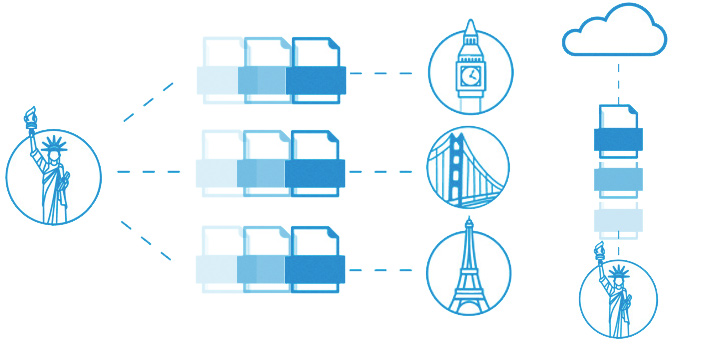
Access all your file as if they are on one file server.

Cloud
First
The cloud is the primary storage location for your files providing you with reliability, accessibility and scalability of your file storage.

Setup in
Minutes
Simply plug in a CacheDrive at your location and all your files will be accessible.

LAN
Performance
Access your files 100x faster than traditional cloud. No need to VPN to a remote location to access your files.

WAN
Optimization Sync sends only the metadata so you can see all of your files but only download what you need.
Cache & Sync: An Alternative to FTP
Learn how Cache & Sync can greatly improve your file transfer efficiency.
DOWNLOAD WHITE PAPER
See How Cache & Sync Enables All of Your Offices to
Have One Centralized File View
 Click to Play
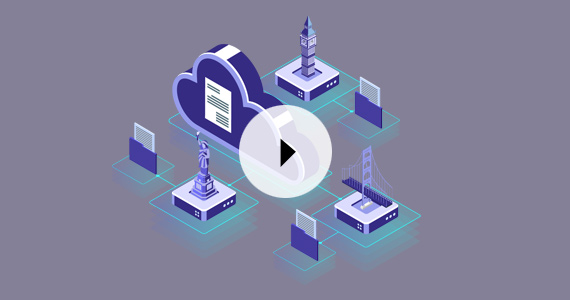
Watch this quick video on how Cache & Sync works across your multiple offices or locations. Morro CacheDrive makes sharing files between offices Quick, Easy, and Safe. Now sharing files or data across multi-site is just a click away. No additional file synchronization tool.
Click to Play
Watch this quick video on how Cache & Sync works across your multiple offices or locations. Morro CacheDrive makes sharing files between offices Quick, Easy, and Safe. Now sharing files or data across multi-site is just a click away. No additional file synchronization tool.
File Lock + Versioning.
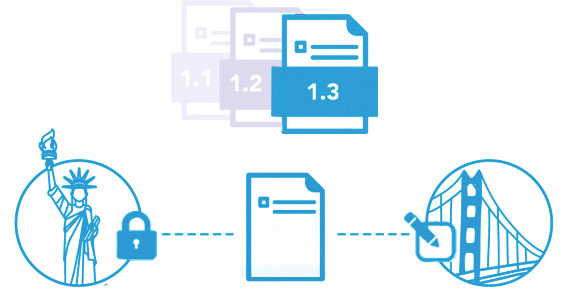
Handling file conflicts properly prevents users from the frustration of losing data. Morro Data supports application level file locking across sites. With apps such as Microsoft Office, users will receive a pop-up message when a file is in use and will not be able to overwrite it (read-only). The system will unlock the file when the editing has been finished. With versioning, users can recover files that are overwritten accidentally or look for an older version with data that was removed at a later time. Versioning also provides an instant, latest, good copy of the file anytime the file changes on their network shares.
Replicate and File Transfer
Just need to backup to the cloud or transfer files to another location? Replicate shares allow you to schedule your backups and take advantage of a lighter overhead, with an up to 2.5x speed increase over real-time Sync.